Import guide
Turn a workout plan photo into a structured plan
If the plan starts as a screenshot, whiteboard photo, or image from a coach, IronFlow can help convert it into a usable workout flow.
Best for
Coach screenshots, whiteboard plans, and image-based routines
Works with
Photos, screenshots, and other plan images that need structure
Outcome
A plan you can actually follow in the gym instead of zooming through images
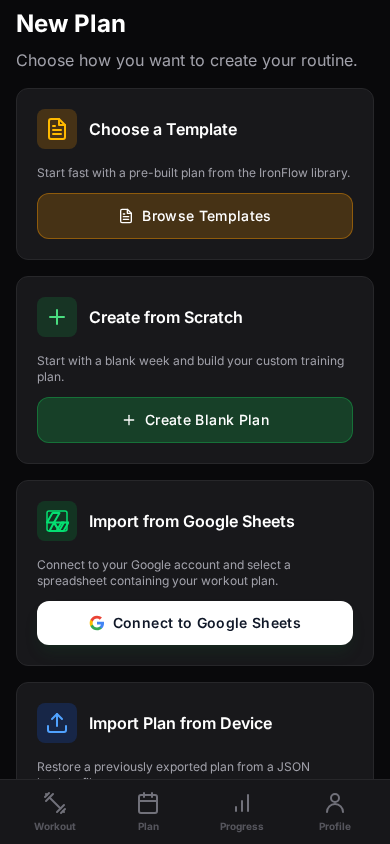
How photo-based import works
Step 1
Upload the plan image
Start with a clear screenshot or photo of the workout plan you want to turn into a structured training block.
Step 2
Parse the routine into plan data
IronFlow reads the workout image and converts the visible routine into exercises, sets, reps, and training days.
Step 3
Review and train from the plan
Once the plan is imported, you can review the structure, make edits if needed, and start logging sessions inside the app.
Why image import matters
This helps capture plans that never existed in a clean spreadsheet
Useful for coach-delivered routines
Many lifters receive plans as screenshots or quick exports. This route gives those plans a better execution environment.
Better than retyping manually
Manual transcription adds friction and errors. Converting from the image is a faster way to get moving.
A different search wedge
This page targets people searching for ways to scan or convert a workout image into something they can actually use.
Workout photo import FAQ
More import paths
Explore the other import guides
Import guide
Import a Google Sheets workout plan into IronFlow
Learn how to move a Google Sheets workout plan into IronFlow so you can keep your structure, log on mobile, and manage the plan on desktop.
Import guide
Turn your workout spreadsheet into a training app workflow
Use IronFlow to turn a workout spreadsheet into a structured training app workflow with mobile logging, desktop planning, and clearer progression tracking.