Less admin during training
The spreadsheet can stay the source plan, but it no longer has to be the thing you manage mid-workout.
Import guide
If your current plan lives in a spreadsheet, IronFlow lets you follow it, update it, and log each session.
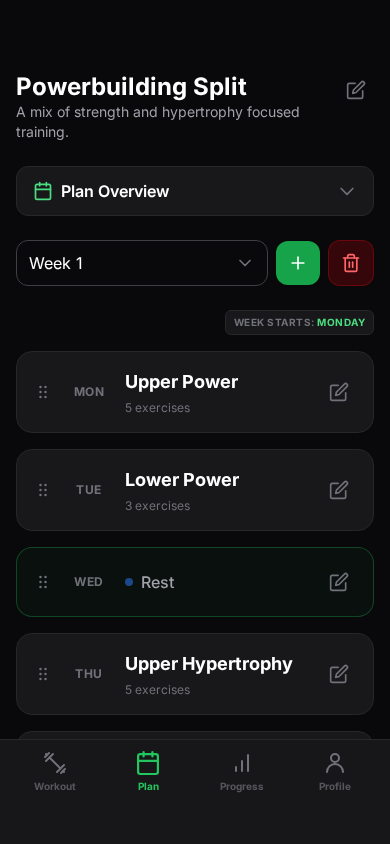
[Best for]
Lifters who plan in spreadsheets and want to log workouts in IronFlow
[Works with]
Recurring weekly splits, progression blocks, and editable training templates
[Outcome]
A structured plan that is easier to follow session by session
[How to move from spreadsheet to app]
[Step 1]
Bring in the spreadsheet format that already works for your programming, instead of starting from a blank template.
[Step 2]
IronFlow reshapes the spreadsheet into a workout plan you can navigate by week, day, and exercise.
[Step 3]
Once the plan is inside IronFlow, log sessions and review progression without switching between spreadsheet cells and formulas.
[Benefits]
The spreadsheet can stay the source plan, but it no longer has to be the thing you manage mid-workout.
Open your plan by week, day, and exercise, then log the work you complete.
Use IronFlow's planning and analytics tools alongside your imported plan.
[Workout spreadsheet FAQ]
[More tools]
[More import guides]
[Import guide]
Connect Google Sheets, choose a workout spreadsheet and tab, then turn its visible workout details into an IronFlow plan. Review the imported exercises, sets, reps, and loads before training.
[Import guide]
Capture a workout plan from a photo and turn it into a structured IronFlow plan you can log on mobile and manage on desktop.