Choose IronFlow when
Lifters following structured programs who want to plan on desktop and log on mobile.
Workout tracker alternative
Strong is a workout tracker with Cloud and desktop access. IronFlow pairs desktop plan editing with mobile strength and cardio logging, plus Google Sheets plan import.
Choose Strong if its strength log, templates, and cloud or desktop access fit how you train. Choose IronFlow if you want to edit a structured plan on desktop and log strength or cardio on mobile.
Last reviewed:
[IronFlow]
[Comparison]
| Criteria | IronFlow | Strong |
|---|---|---|
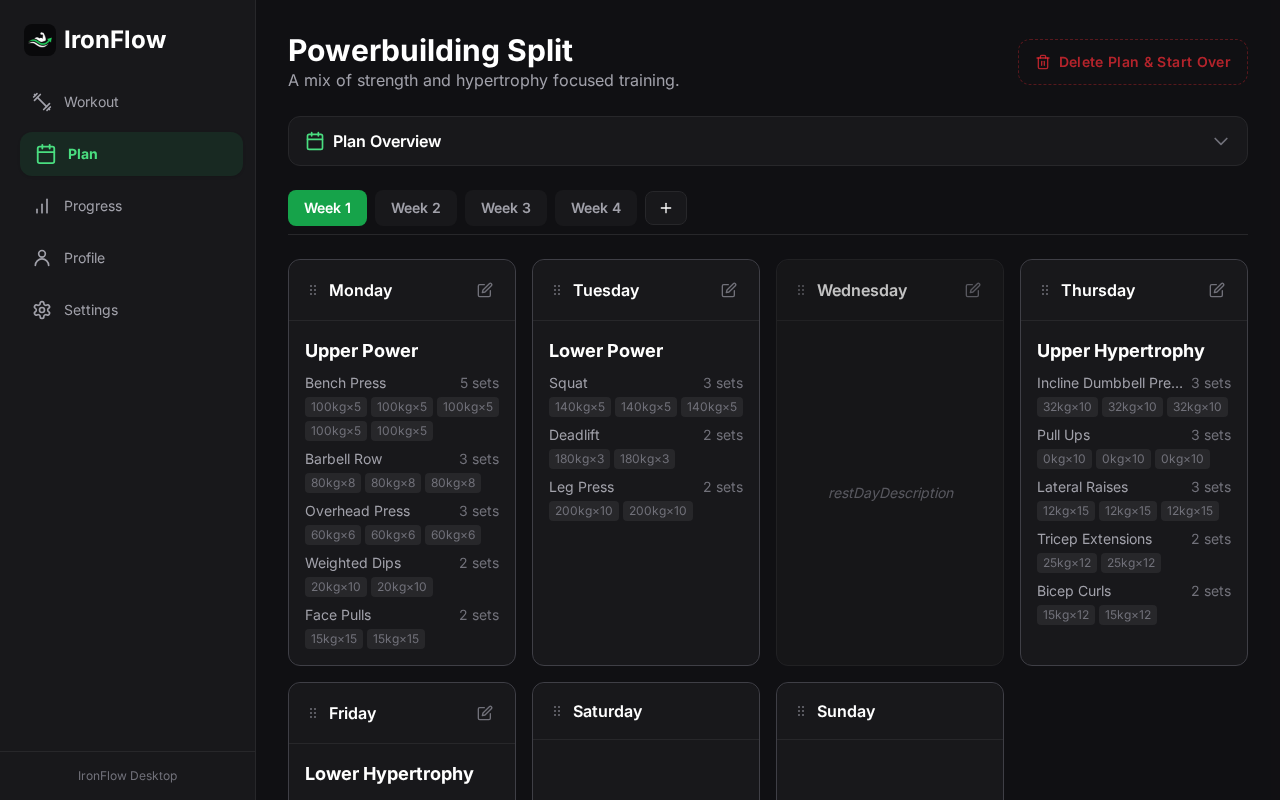
| Program planning | Edit structured training plans and organize work by week, day, exercise, and set. | Create routines and templates, then track completed strength workouts. |
| Progression | Progression follows the selected plan; automatic rules are not guaranteed for every program. | Review strength history and charts; progression depends on your chosen routine. |
| Desktop and web planning | Edit plans in a desktop browser and log strength or cardio in the mobile app. | Strong advertises Strong Cloud and desktop access as well as mobile and watch apps. |
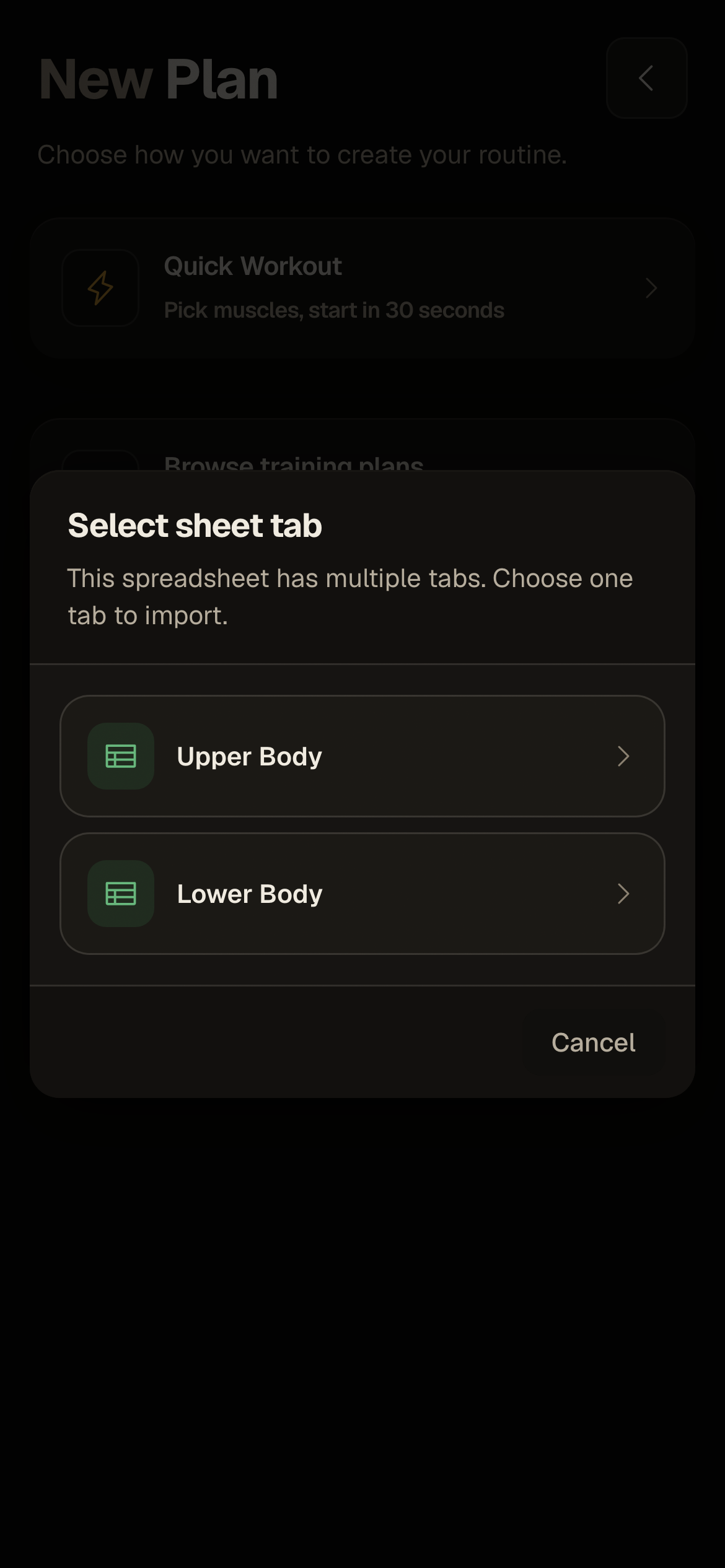
| Google Sheets plan import | Import visible values from the selected Google Sheets tab into a plan to review; formulas and scripts do not transfer as live progression rules. | Strong's CSV is a workout-data export, not a Google Sheets plan import. |
| Program imports | The Sheets plan import does not make spreadsheet formulas or scripts into live rules. | Share individual workouts or templates; these are separate from a spreadsheet-plan import. |
| Plan export | Export plans to Google Sheets or JSON. | Strong's cited CSV export contains completed workout data; check its sharing options for routines and templates. |
| Completed workout-history import | Plan import is separate from importing completed workout history. | Strong's help says exported data cannot be imported back into Strong. |
| Completed workout-history export | Google Sheets and JSON plan exports are not exports of completed workout history. | Export completed workouts as CSV; this does not export a training program as plan data. |
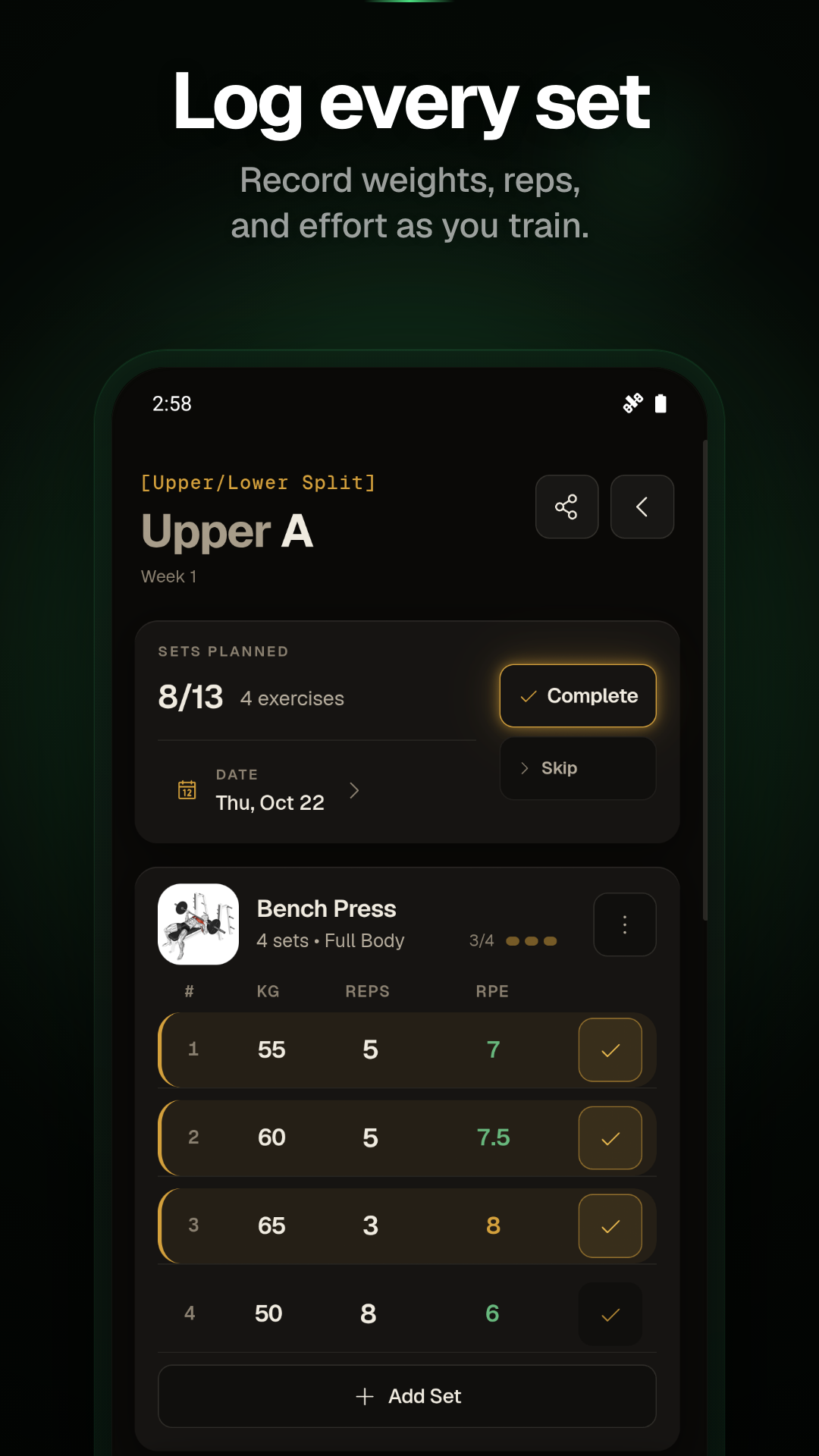
| Workout logging | Log sets, reps, weight, RPE, notes, and cardio. | Record sets and review strength-training history and progress. |
| Offline support | Sessions are stored locally and can be logged offline; internet is required for account sync. | Strong has Cloud and cross-device access; check its current support information for the offline workflow you need. |
| Platforms | Use the iOS or Android app for logging and a desktop browser for plan editing. | Strong lists iPhone, Android, Apple Watch, and desktop/Cloud access; check current device requirements. |
| Wearables | This comparison does not claim wearable support; check the current app listings for your device. | Strong lists Apple Watch support; check its current device requirements. |
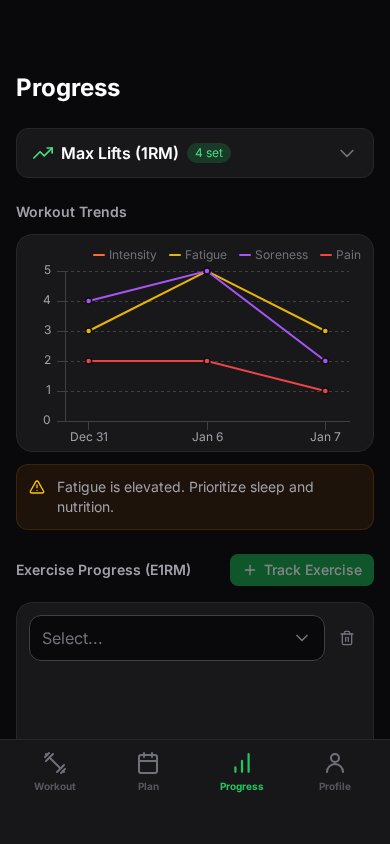
| Training analytics | Review estimated strength (E1RM), fatigue, and workload trends. | Strong PRO includes advanced charts and strength measures such as best sets and estimated 1RM. |
| Social features | The workflow centers on personal plans and workout logging; consult current product details if social tools matter. | Strong supports sharing workouts and templates; its cited feature pages do not center on a public social feed. |
| Price | Basic logging and templates are free; Pro adds advanced analytics and more plan capacity. Check current regional pricing. | Strong offers free accounts and Strong PRO; check current store pricing for your region. |
Lifters following structured programs who want to plan on desktop and log on mobile.
Lifters who want a strength-focused log, saved routines, and Strong Cloud or desktop access.
[Switching and data transfer]
Strong's CSV is completed workout history; IronFlow's Google Sheets import and exports are plan data. These are separate transfer paths.
[Evidence and sources]
[More tools]
[More alternatives]
[Alternative guide]
Choose Hevy for routine logging, social features, web access, or Hevy Trainer's guided program. Choose IronFlow if you want desktop plan editing and Google Sheets plan import, knowing that plan transfer is not workout-history transfer.
[Alternative guide]
Choose Boostcamp to browse coach-built plans or build one in its browser editor; loaded programs work offline in the app. Choose IronFlow for Google Sheets plan import and desktop editing with mobile logging.
[Alternative guide]
Choose Sheets if you want to shape your own tables, formulas, and charts. Choose IronFlow if you want to import visible plan values, review the converted plan, then edit it on desktop and log on mobile.
[Alternative guide]
Choose Fitbod if you want workout recommendations that adapt to logged training and recovery. Choose IronFlow if you want to edit a structured plan and carry over visible spreadsheet values; these are different planning approaches.
[Alternative guide]
Choose Liftosaur if you want to define programs in Liftoscript, use its web editor, and transfer program text separately from history CSVs. Choose IronFlow for desktop plan editing and reviewed Google Sheets plan imports.
[Alternative guide]
Choose JEFIT if you want a routine builder, progression features, and a large exercise and community ecosystem. Choose IronFlow if importing visible Google Sheets plan values and editing them on desktop are central to your workflow.